
Boomerang Bet App NZ: Mobile Betting & Casino in 2026

The Boomerang Bet app is designed for players who prefer betting and casino games directly from their mobile devices. With a focus on convenience and speed, the platform allows users to place bets, manage accounts, and access casino games without relying on a desktop browser. Players can clearly read and decide whether the Boomerang Bet app suits their betting habits and expectations in 2026.
The Boomerang Bet Casino app has native apps for both major mobile platforms. It only takes a few minutes to install, and then you can take advantage of performance features that are better than regular browser-based play. Users get faster loading times, instant push notifications for sales, and a more personalized interface that fits their gaming habits.
How to Install on Android Devices
-
Open the Google Play Store on your Android device.
-
Search for Boomerang Bet Casino.
-
Select the official app from the results.
-
Tap Install.
-
Open the app once installation is complete.
-
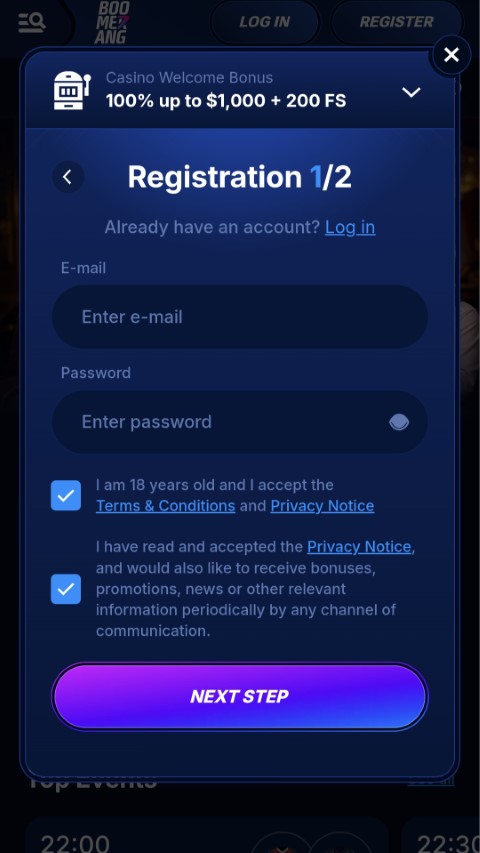
Log in or create an account to start playing.
Install on iOS Devices (iPhone & iPad)
-
Open the Apple App Store on your device.
-
Search for Boomerang Bet Casino.
-
Choose the official app listing.
-
Tap Get and confirm the download.
-
Launch the app after installation.
-
Log in or sign up to access games and bonuses.
The iOS version follows Apple’s interface standards, with fast loading times, gesture-based navigation, and in-app notifications for promotions.
Requirements for Device Compatibility
The platform is designed to run smoothly across most modern devices, covering mobile phones, tablets, and desktop systems. The requirements are modest, so most users can access the games without technical issues.
|
Device Type |
Operating System |
Minimum Version |
|
iPhone & iPad |
iOS |
10.0 or later |
|
Android Phones & Tablets |
Android |
5.0 or later |
|
Windows PC |
Windows |
7 or later |
|
Mac |
macOS |
10.10 or later |
Common Problems and How to Solve Them

97.0%

96.01%

96.09%

90.0%

95.9%



Even well-optimised platforms can present occasional issues. Below are the most common problems players face, along with clear, practical solutions.
Common Issues and Solutions
|
Problem |
Why It Happens |
How to Solve It |
|
Deposit not showing up |
Bank delay or incomplete verification |
Refresh the app, check transaction status, ensure verification is complete |
|
Withdrawal pending too long |
Identity or payment method checks |
Complete account verification and confirm payment details |
|
Bonus not credited |
Minimum deposit not met or bonus not activated |
Check bonus terms and ensure the qualifying amount was deposited |
|
Login issues |
Incorrect credentials or temporary system error |
Reset password or try logging in from another browser/device |
|
App loading slowly |
Weak internet connection or outdated app version |
Check connection and update the app to the latest version |
|
Payment method unavailable |
Regional or banking restrictions |
Choose an alternative supported payment option |
|
Games not opening |
Browser cache or compatibility issue |
Clear cache or switch to a supported browser/device |
Transactions & Mobile Payments
With the Boomerang Bet mobile app, players can do all of their banking on their phones, so they don't have to switch to a computer. Strong security measures protect sensitive financial information during every transaction.
Putting Money into Your Account
The mobile app is made for quick and easy deposits. Players can go directly to the banking section of the app, choose their preferred payment method, and enter the amount they want. The process usually takes only a few minutes, so you can start playing right away. The welcome bonus structure is especially useful for new users because it gives them up to €1,300 on their first deposit.
Taking Out Your Winnings
Cashing out winnings is also easy to do on the mobile platform. Players go to the withdrawal section, choose how much money they want to take out of their account, and then confirm the transaction. Depending on the payment method you choose, processing times may be different.
Customer Support for Mobile
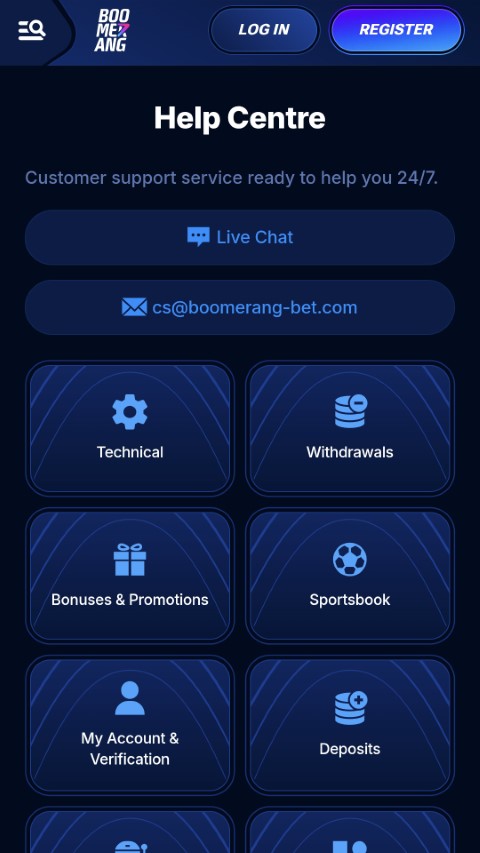
The Boomerang Bet app offers a complete set of services that meet your needs for help and your needs. With the dedicated app, players can talk to customer support directly from their mobile devices.
How to Get Help Through FAQs and the Help Center
The platform has a full knowledge base where users can find answers to common questions about managing their accounts, making payments, and following the rules of the game. The help center has information on a wide range of topics, from how to register to how long it takes to process a withdrawal.
Help with Live Chat
The app's support system is built around real-time help. The live chat feature links players with knowledgeable agents who can help with more complicated issues that standard FAQs can't. Response times are usually short. This direct communication channel is very helpful in times of need, like when you need to verify a payment or deal with account security issues.
Frequently Asked Questions
Is it free to download the Boomerang Bet app?
You can download the Boomerang Bet app for free on both Android and iOS devices. Users can get the app from their app stores for free. Downloading the game is free, but players will need to put real money into their accounts to place real bets and win real money.
Is it safe and real to use Boomerang Bet?
Boomerang Bet is a legal gambling site that has the right security measures in place. The app protects user data and financial transactions by using encryption. To avoid fake versions that could put security at risk, players should make sure they download the official app from trusted app stores.
Can I use my current website account on the app?
If you already have a Boomerang Bet account on the desktop version, you can use the same login information on the mobile app. The mobile app has all the same casino games, bonuses, and account management features as the desktop version.
What kinds of payments can you make with the app?
The mobile app lets you pay in the same ways as the desktop site. Depending on where they live, users can usually add money to their accounts using credit cards, e-wallets, bank transfers, and other methods. The iOS and Android versions work the same way, including the ability to process payments.
Are there special bonuses for using the app on your phone?
Some operators have special deals for mobile users, but these change depending on the area and the time of year. Players can find out about any current mobile-only deals by looking in the app's bonuses section or by calling customer service.
What should I do if the app doesn't work right?
You can usually fix technical problems by clearing the app cache, updating to the newest version, or reinstalling the app. If problems keep happening, contacting customer support through the in-app help section usually fixes more complicated technical problems.
Rating
★
★
★
★
★
0.0
Votes: 0

